环境准备:
1.操作系统:Ubuntu 22.04。
2.硬件配置:主机自带网卡(PCI)1张,USB网卡1张。
3.PCI网卡连接互联网,USB网卡连接局域网。
配置准备:
1.PCI网卡(互联网)配置:
IP:172.18.0.2
子网掩码:255.255.255.0
网关:172.18.0.1
2.USB网卡(局域网)配置:
IP:192.168.1.2
子网掩码:255.255.255.0
网关:192.168.1.1
具体操作:
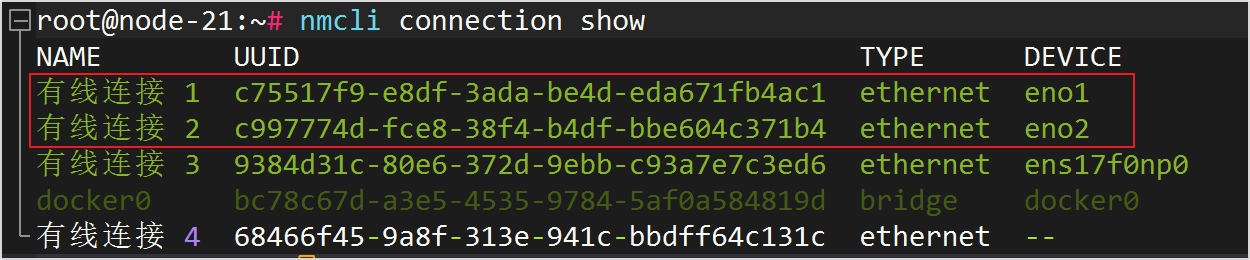
1.查看当前的网络连接
命令:
nmcli connection show
NAME为连接名称,DEVICE为网卡名称。
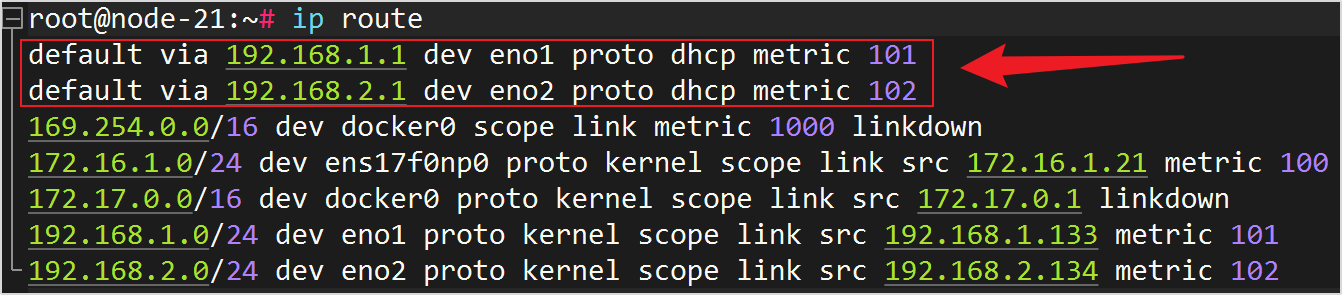
2.查看目前网卡优先级
命令:
ip route
3.设置主网卡优先级
如:将上图eno2网卡(有线网卡2)设置为主网卡。
注意:metric值越小,优先级越高。
命令:
nmcli connection modify "有线连接2" ipv4.route-metric 100
4.设置备用网卡优先级
如:将上图eno1网卡(有线网卡1)设置为备用网卡。
注意:metric值越大,优先级越低。
命令:
nmcli connection modify "有线连接1" ipv4.route-metric 101
5.重新激活网卡连接
命令:
nmcli connection up “有线连接2”
nmcli connection up “有线连接1”
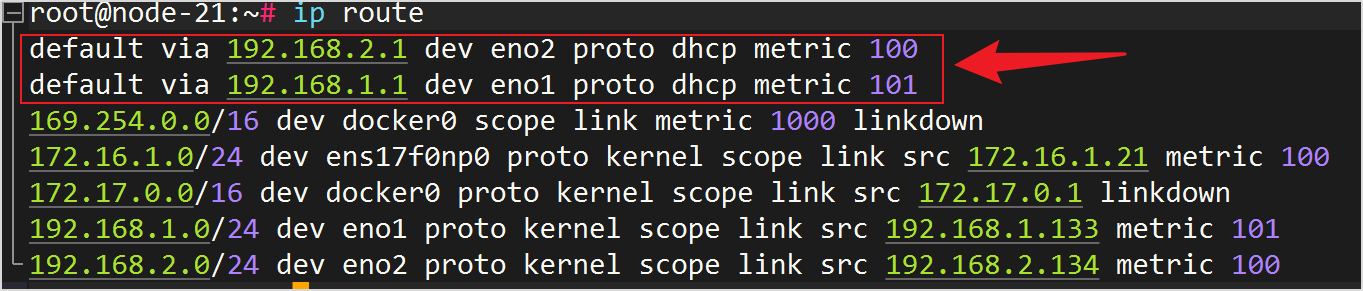
6.验证修改后的配置
命令:
ip route
参考链接:https://blog.csdn.net/qq_33366130/article/details/145076635
评论已关闭